STORYBOARD EXAMPLE
Short-film storyboard example: five selected story beats
Explore five public frames from Cinema_001 as an instructional example of turning story beats into visual planning questions. Each image below keeps its original scene and shot number.
Read these as curated excerpts
These are selected frames, with gaps between shot numbers. They do not show a complete continuous sequence. The commentary suggests ways to plan coverage; it does not claim to document the filmmaker’s intentions or a finished production.
Five excerpts, five planning decisions
Introduce a character through her surroundings
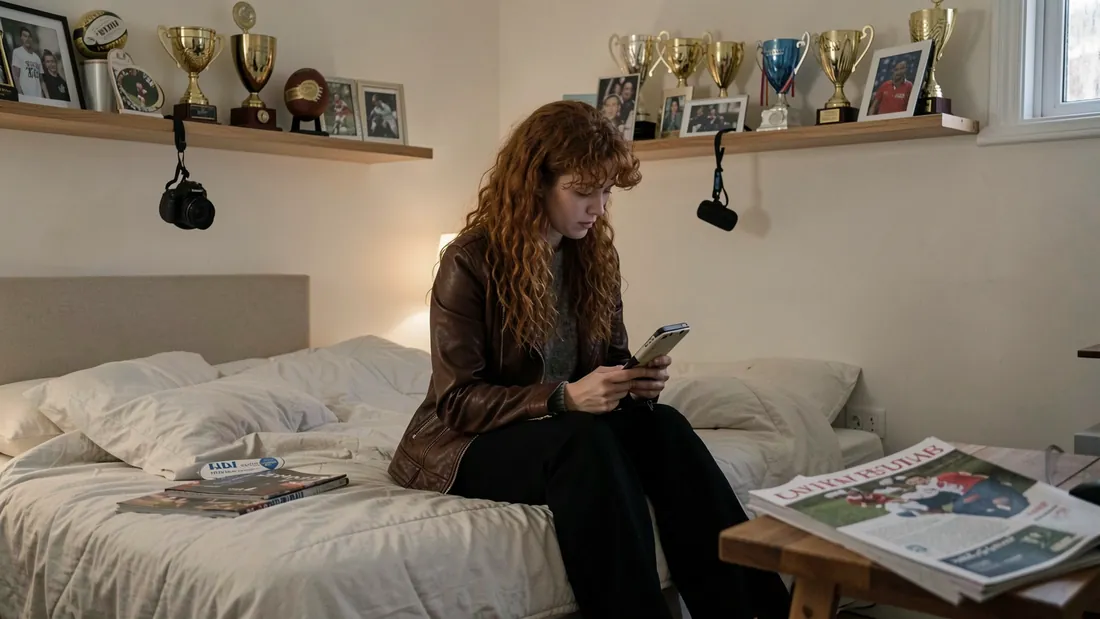
Liv checks her phone among trophies, photographs and a camera. The room introduces her surroundings while the phone supplies an action. Decide which background details need to remain legible and which can stay incidental.
Planning question: Does the audience need to read the message, or only understand that it has Liv’s attention?
Establish the meeting and the space
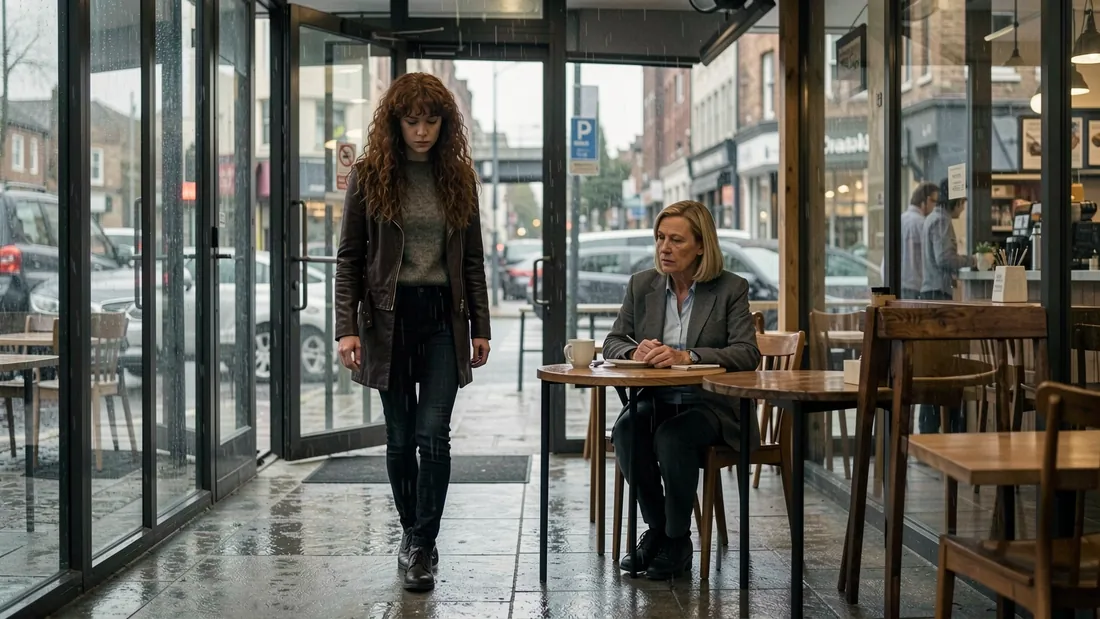
Liv enters on the left; Mum sits at a table on the right. Both people and the route between them are visible. Plan how Liv reaches the table and where she stops before drawing later coverage.
Planning question: Which movement or exchange needs another shot before the scene moves into closer coverage?
Give an ordinary action a clear focus

The drink brings Liv’s hand and face into one readable action. Her sideways gaze raises a question about what she is watching. Retaining café context lets the image communicate both the action and its setting.
Planning question: What is she looking at, and does the next planned image answer that question?
Shift attention toward the window
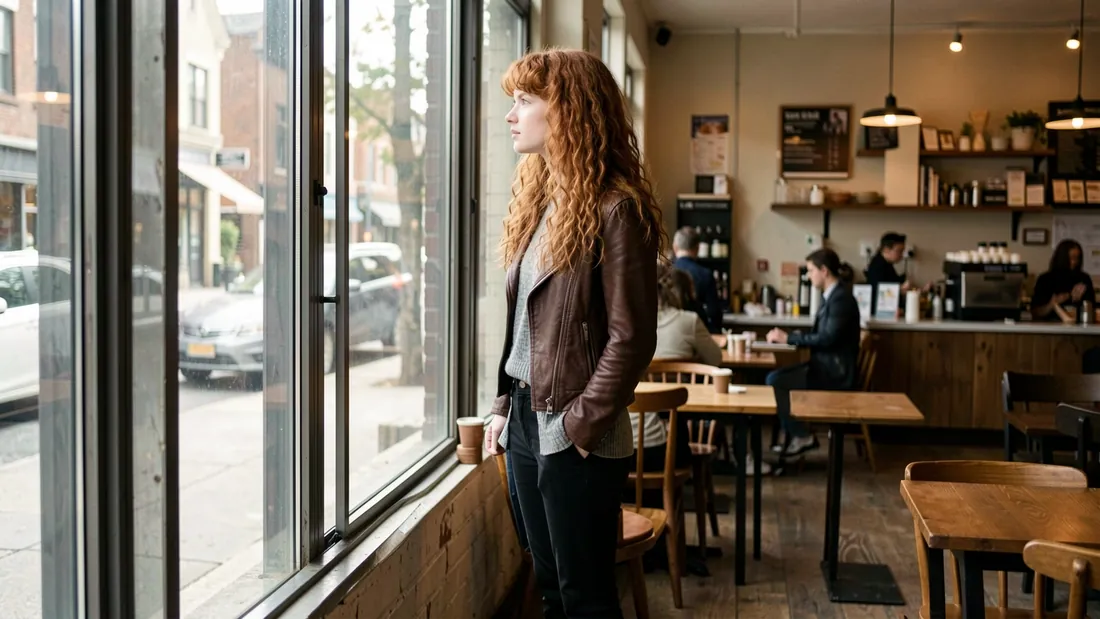
Liv faces the window in profile, with the street on the left and the café behind her. Her attention has a visible direction. What she sees outside remains a decision for the storyboard; this image does not reveal it.
Planning question: Would an exterior view add necessary information, or should the moment stay with Liv?
Make the photographs part of the action
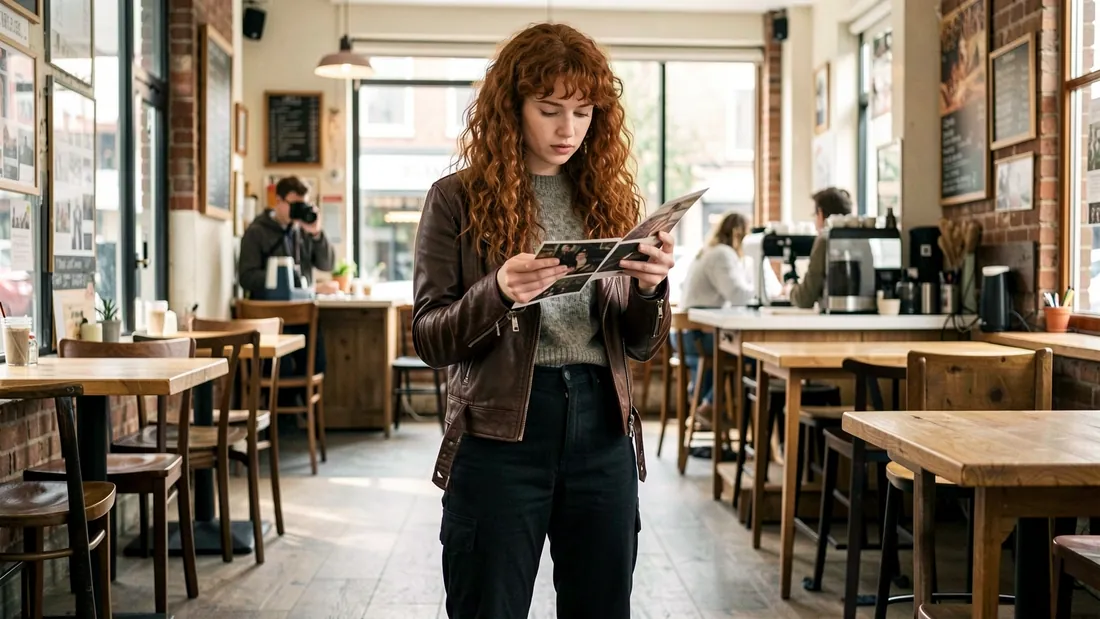
The photographs connect Liv’s downward gaze to a physical object. Her hands and the prints are visible, but their contents are not clearly readable. If a particular photograph matters to the story, plan a separate detail view and decide exactly what the audience needs to recognise.
Planning question: Must the viewer identify a photograph, or is Liv’s response the important information?
Check screen direction before filling the gaps
Start with the entrance: Liv is image-left and Mum image-right. For a reverse angle, mark their positions and eyelines on a simple overhead sketch. Check each new view against that plan. The window frame also points Liv’s gaze image-left. The missing shots prevent a full continuity assessment; do not assume these excerpts would cut together as shown.
Turn an observation into your next shot brief
Scene 2, shot 21 shows Liv examining photographs, but their contents are not readable. Decide what the audience must learn before changing the camera. The following are proposed teaching briefs, not the original generation prompts or demonstrated outputs.
| Story decision | Proposed brief | Review the result |
|---|---|---|
| Read Liv’s reaction | Keep an objective view of Liv looking down at the prints. Frame her face and hands so her response carries the moment. | Can you read her response? Are the prints and her gaze connected? Check character and wardrobe references against the other café frames. |
| Reveal a specific photograph | Plan a separate insert of the selected print in Liv’s hands. Decide its actual contents before describing the image you need. | Is the relevant detail readable? Match the print, grip, lighting and table or background to the surrounding coverage. |
For a view through Liv’s eyes, plan Character POV instead: identify what she sees from her position and avoid showing Liv facing the camera. An insert isolates a detail; it does not automatically establish whose eyes we are looking through.
In CineBoardHero, review the shot’s character, wardrobe and location assignments before generating. Selecting shot size or point of view starts a new generation. Compare the frame against your brief, then select the variation that communicates the intended information. Follow the shot editing tutorial for the controls and the reference tutorial for assignments.
A shot-list example you can adapt
This teaching sample records story beats and open planning decisions. It omits unverified lenses, timings and production requirements. Download the five-row shot-list CSV.
| Source scene / shot | Story beat | Planning note |
|---|---|---|
| 1 / 1 | Liv checks her phone in her flat. | Decide whether the phone text needs a separate detail shot. |
| 2 / 1 | Liv enters the coffee shop where Mum is seated. | Plan Liv’s route to the table and establish the characters’ positions. |
| 2 / 7 | Liv sips her drink and looks over the rim. | Identify the target of her gaze and track the glass between shots. |
| 2 / 17 | Liv looks out of the window. | Choose whether to show the view outside and preserve the gaze direction. |
| 2 / 21 | Liv takes the photographs and looks through them. | Decide which photograph details, if any, need a readable insert. |
Apply this approach with the full workflow tutorial, then use the character consistency guide when reviewing new frames.